Auto Monitor New Group Files
Create an Auto Monitor in TG-Downloader, choose the Telegram account and file types, and understand monitor status and deletion rules.
Auto Monitor checks a group or channel every 60 seconds and downloads new files. It is a Pro feature and can run alongside Batch Download.
| Batch Download | Auto Monitor | |
|---|---|---|
| Purpose | Pull the history now | Follow future files |
| Runtime | Finishes once | Continues until disabled |
| Task count | One at a time | Several, limited by plan |
Monitor list
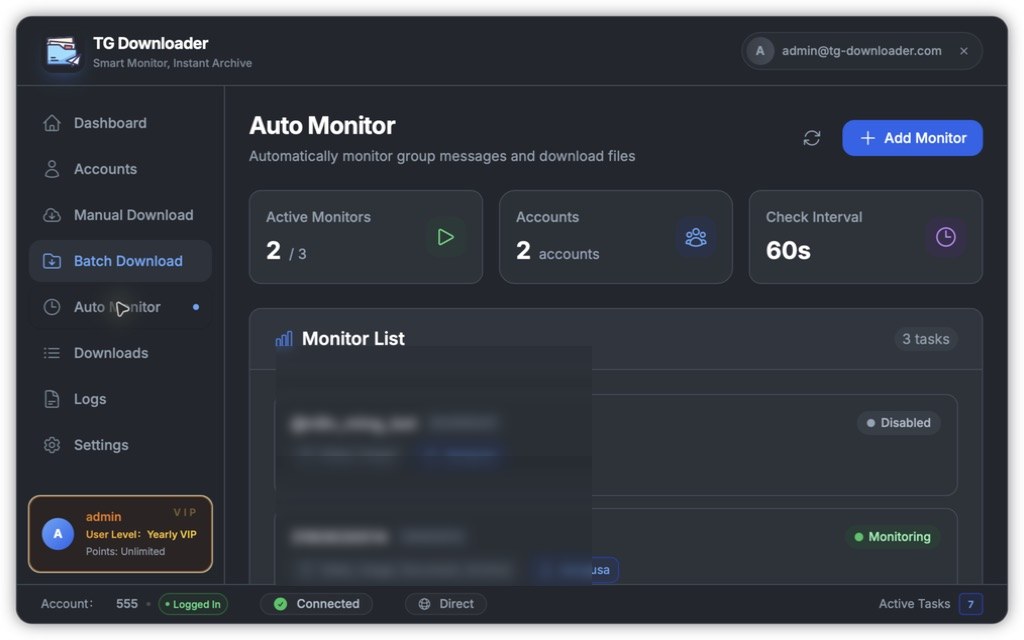
The top cards show:
- Active Monitors: enabled monitors and the plan limit.
- Accounts: accounts used by monitor tasks.
- Check Interval: fixed at 60 seconds.
Each card shows the group, file types, account and one of these statuses:
| Status | Meaning |
|---|---|
| Monitoring | Running normally |
| Disabled | Paused |
| Downloading | Downloading files it found |
Each monitor supports enable/disable, edit and delete. A monitor that is actively downloading cannot be deleted.
Add a monitor
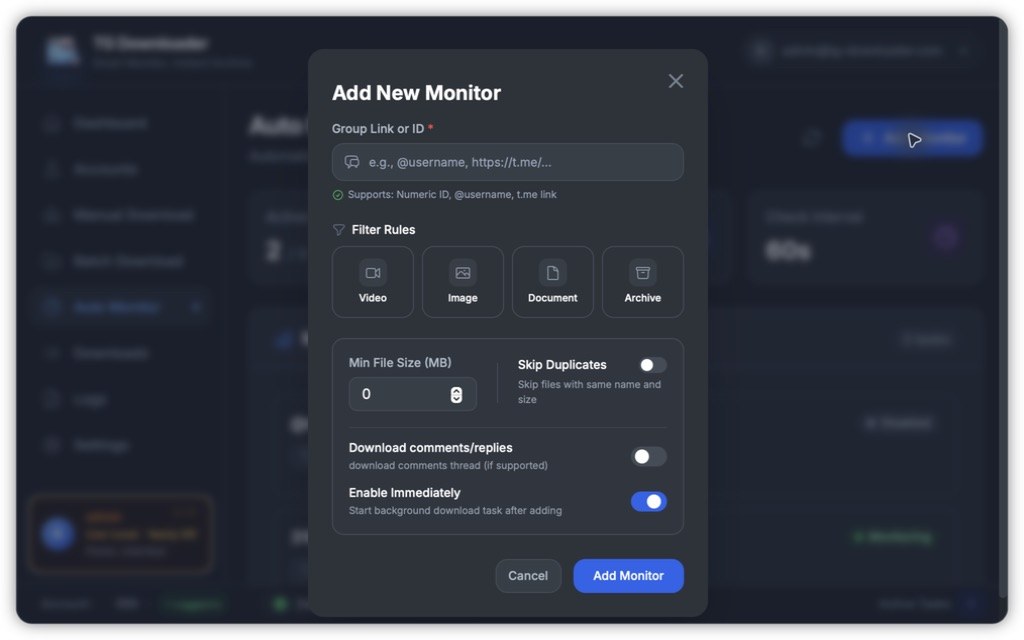
- Click Add Monitor.
- Enter a group ID,
@usernameort.melink. - Choose file types; none selected means all.
- Set minimum file size, duplicate filtering or comment downloads as needed.
- Choose whether to enable it immediately and click Add Monitor.
See Monitor Filter Rules for filter behavior.